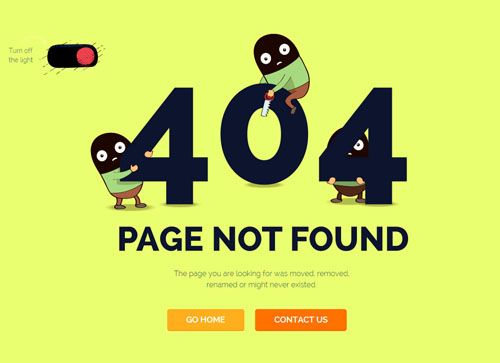
What is ERROR 404?
The relationship between the Error 404 and SEO is extremely narrow. It is really confusing and frustrating, when you are surfing the internet, maybe looking for a product you want to buy or some kind of information, and suddenly you get the ERROR 404 Not Found:

The Error 404 is one of the most common errors you will encounter while browsing any website. It is a response from the web server telling you that the website you are trying to visit has ceased to exist, it has died digitally. The usual message you will receive will be like the one in the photo above and the following text:
ERROR 404 PAGE NOT FOUND
In this article you will learn all about the Error 404 and its relationship with the seo positioning. In addition to the ways to solve it without penalties or affecting your web positioning. This SEO discipline belongs to Technical SEO.
How GOOGLE Error 404 is Generated
This server response code affects millions of pages across the internet. While surfing the net it is common to access a page that throws a 404 error. The worst thing about this error is that it affects the usability of the website (UX). This is directly related to the bounce rate or user bounce rate. The bounce rate measures the percentage of sessions on a single URL or page. That is, sessions in which the user has left your website without interacting with it or moving to another page. A high bounce rate is a factor of poor usability of the website and penalisation in terms of Google ranking.
Error 404 Affects Positioning
Until recently, 404 errors directly affected your SEO positioning and therefore your ranking in Google. Nowadays, it no longer causes SEO problems. Webmasters used to solve the 404 problem by setting up 301 redirects in order to solve it. There was the problem of losing crawling budget while Google spent it crawling pages that didn't really exist. Also, leaving the ones it really should be indexing or updating out of the crawling.
At this point, Google has enough capacity to crawl these errors and the rest of our website without any problem. What's more, Google will eventually de-index those errors if you don't re-create content on that URL that now ends in a 404 error.
User Experience UX
The problem of Error 404 and we do have to solve is the one related to the User Experience. If we have too many 404 errors this will directly affect the bounce rate, which will increase. We will have a website where the user leaves without browsing it. The time spent on the website will be minimal. The chances of selling or capturing customer data will be practically remote. Google does read metrics such as the time a user spends on our website or the bounce rate. That is why these metrics are directly related to seo positioning as it affects the Google ranking.


How to Repair HTTP Error 404
ALARM, fix error 404 Google, it looks like everything is falling apart. Don't worry, it's nothing and it's not really difficult as you will see below. The first thing you need to know is if you have such errors, but how do I know if I have 404 errors on my website and how to identify them?.
The first and indispensable tool for multiple facets of your SEO is:
Google Search Console
Free Google webmaster tool that you are obliged to install. You have to release and then verify your website. It involves adding a piece of code between the and tags in the header of your own website, in doing so you return to Google Search Console, check and that's it.
Once this is done, you wait a few days for Google to index your website and, among many other things, detect errors, including 404. Once installed, you must wait a few days for Google to go through your site and detect if there are any errors. After a few days, you go to Search Console, go to the tab «Tracking».» and then to the tab «Tracking Errors.» If you have 404 errors will be listed there. As you can see, the relationship between the 404 error and SEO is close because it can cause usability problems. That is why Google reflects it as errors in the platform that need to be fixed.
Once the errors manifest themselves in Search Console, they will appear in the «coverage» tab and there they will appear in red until the date they have appeared and the type of error listed underneath. See the screenshot below for an example of 404 errors:

Screaming FROG (FREE VERSION)
Screaming Frog allows you to scan up to 500 Urls in its free version. You can download it here. This tool scans your website as if it were Google and quickly detects any type of error you may have, including the 404 error.
It's as simple as entering your URL, pressing the «start» key and the crawling magic will start working on your website. It will give you details of any errors you have in a matter of minutes.

How to Fix Internet Error 404
If you have registered your website in Google Search Console, is relatively easy. You go to the platform, left option «URL removal», press the red button «NEW REQUEST» and deindex it or what is the same, Google will remove it from the results. Google spiders will ignore the page. This removal is temporary, so you can restore it later in case you want to use that URL with content again.

How to take advantage of Error 404 Not FOUND
There are many creative ways to make oil out of a 404 error. Instead of taking them to the typical ERROR 404 PAGE NOT FOUND screen. Try giving them the option to continue browsing your website or watch a video from your YouTube channel.
Any opportunity is a good one to ensure that your users do not abandon your website and increase the time they spend on it. All this will positively affect your SEO positioning and improve your rankings. It is a way to take opportunities out of problems.